Every sound, one click away
Point it at your folders and preview anything instantly, right inside your editing app.
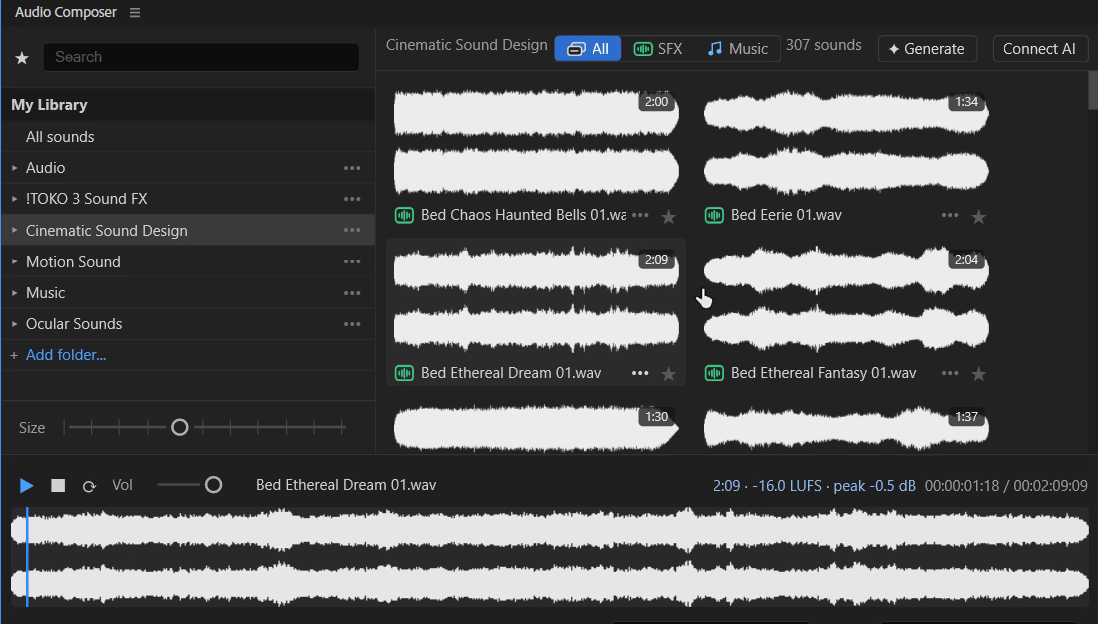
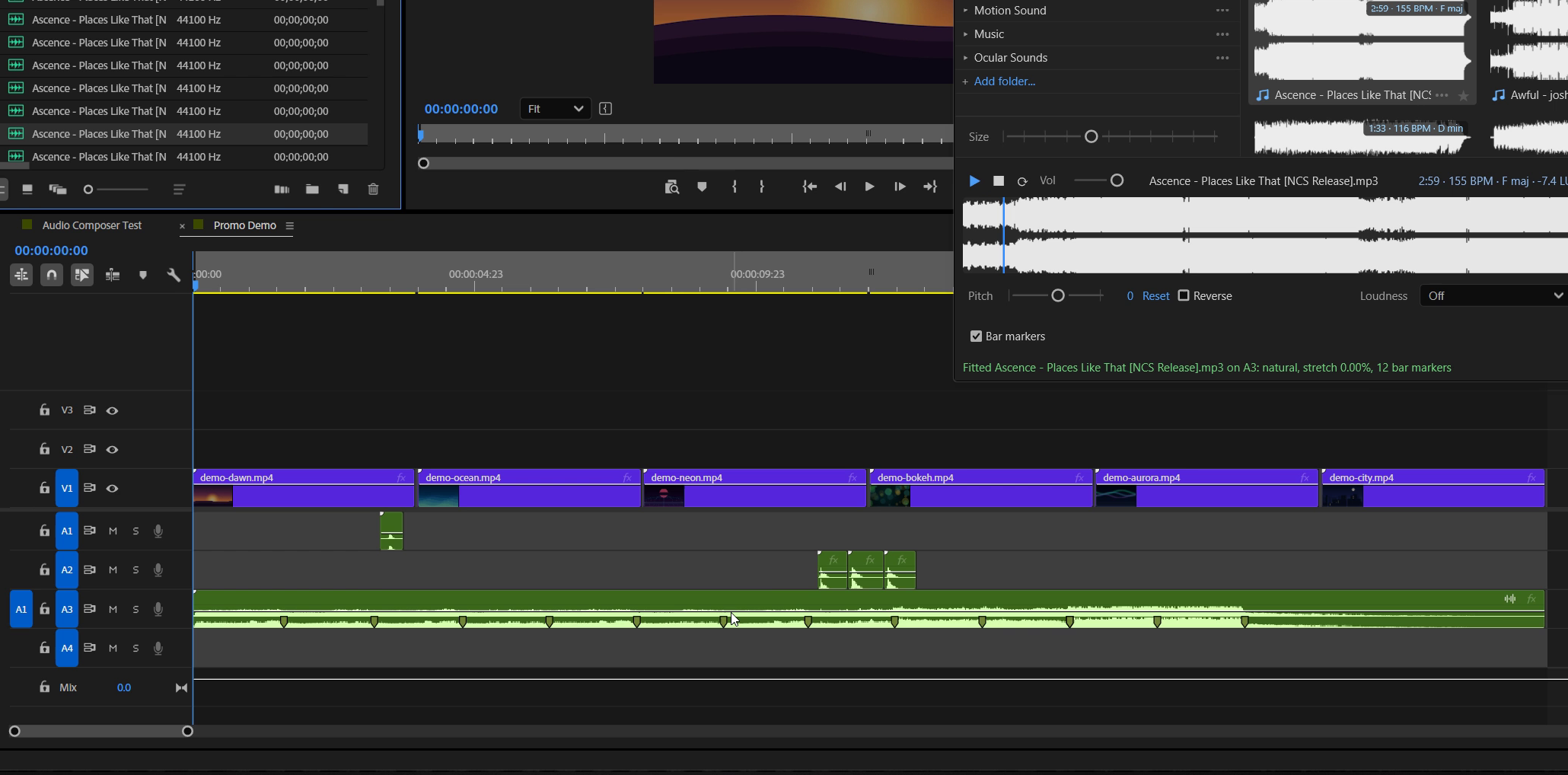
Browse, search and drop your own music and sound effects straight onto your timeline. Fit any track to any length, on the beat.
Try everything free for 7 days, then a one-time purchase. No monthly subscription.
Hear it
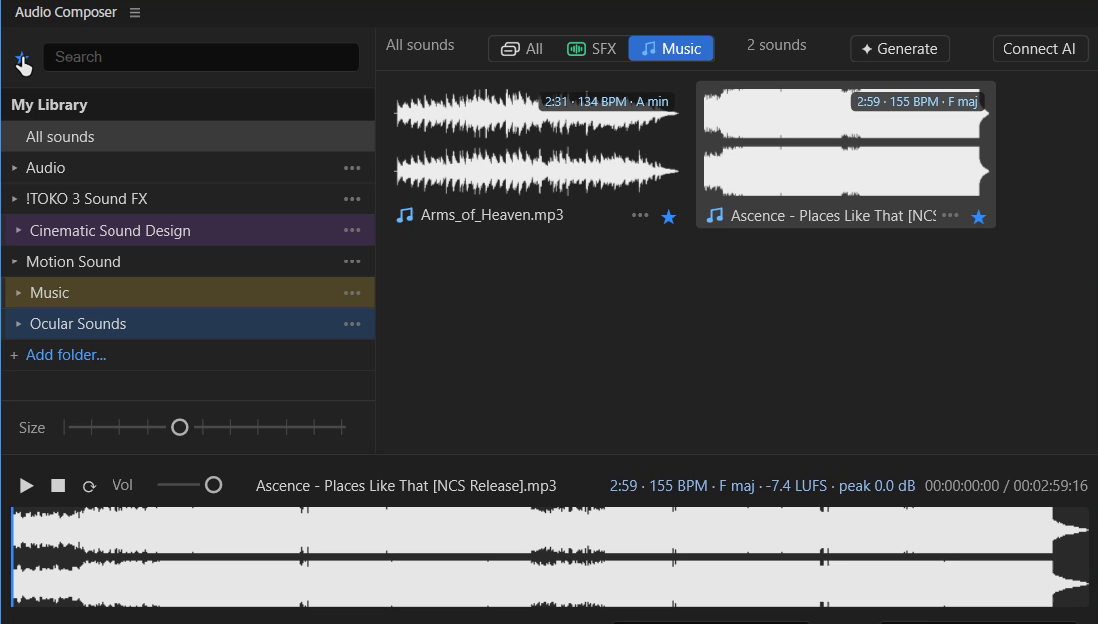
Click any sound to play it. Your own library looks just like this in the panel.
Point it at your folders and preview anything instantly, right inside your editing app.
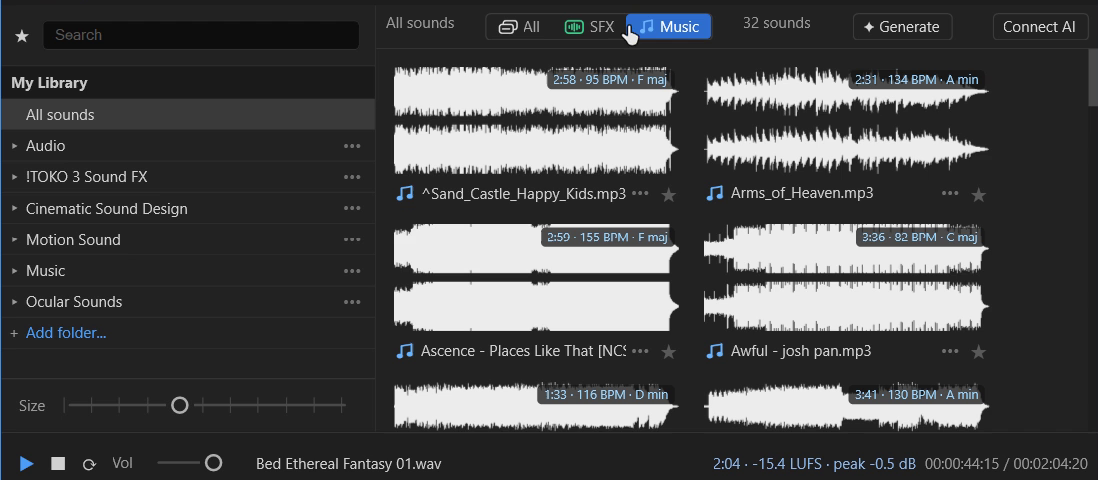
Sound effects and music are sorted automatically, with tempo, key and loudness on every track.
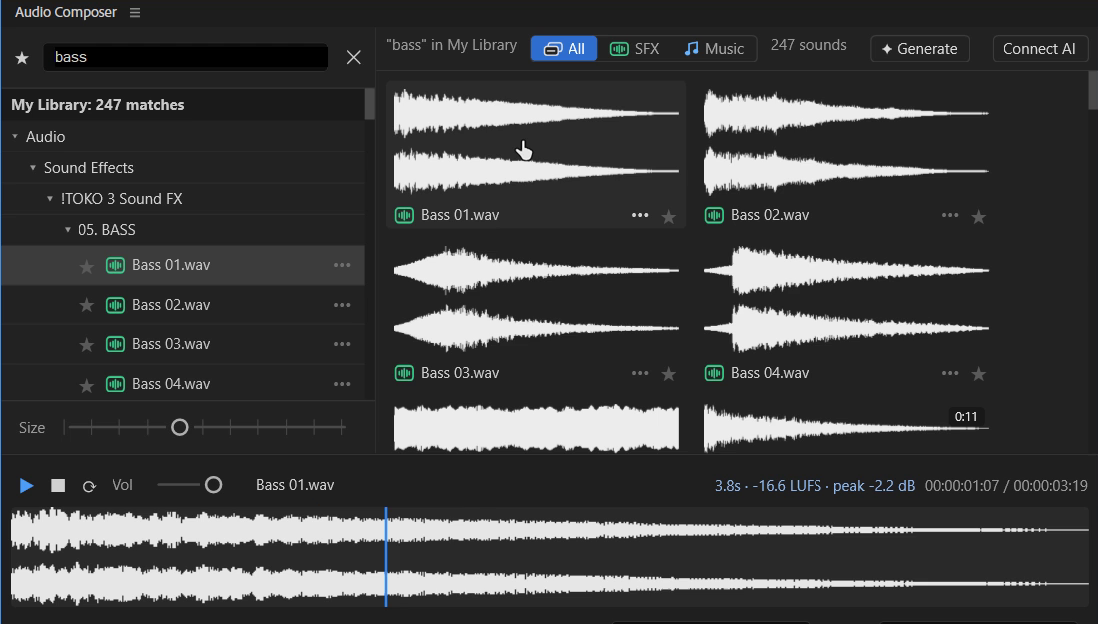
One search across every folder. Typos and synonyms welcome.
Drag one clip or several onto the timeline, right where you need them.
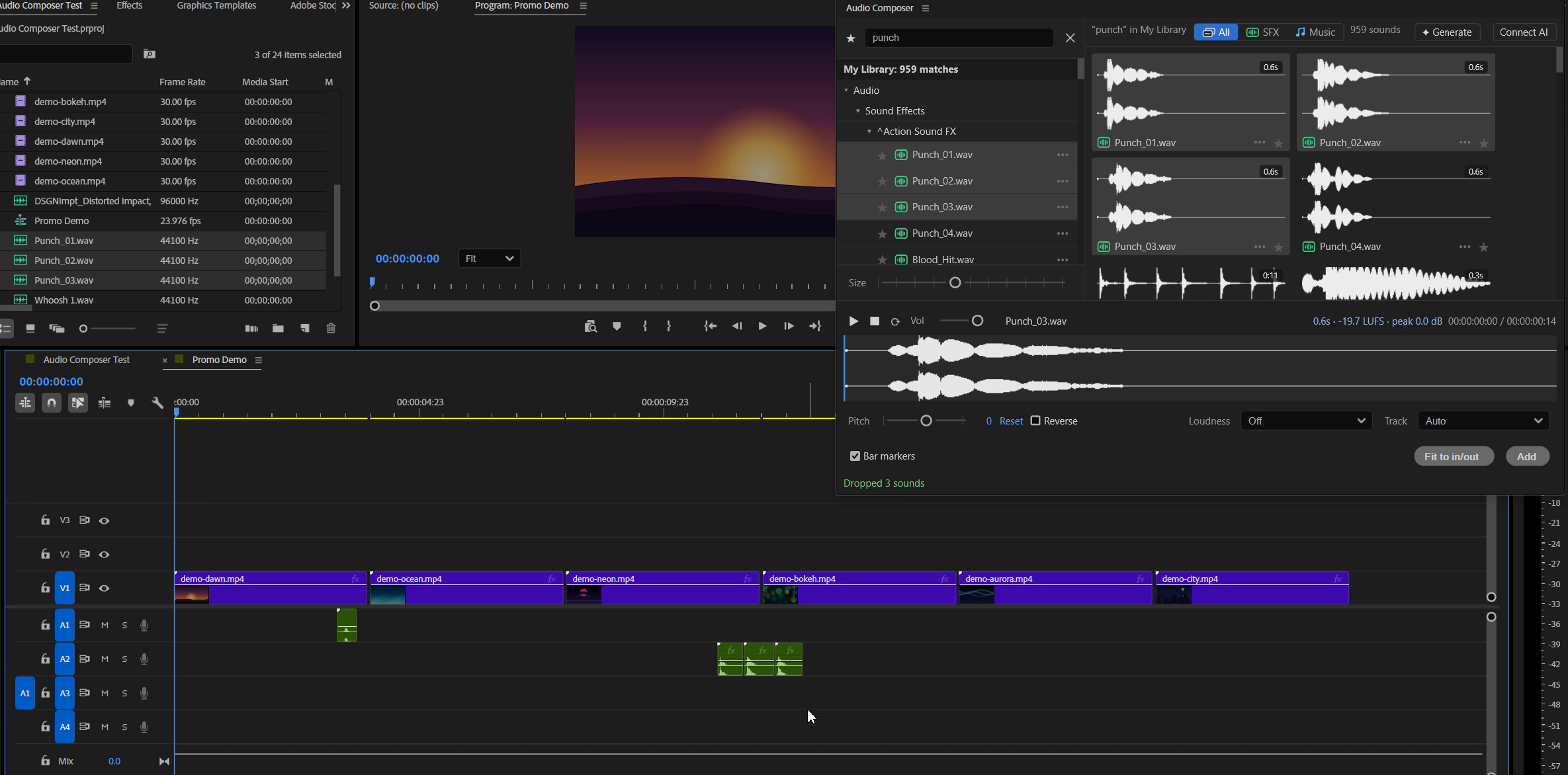
Fit music to your in and out points. It edits on bar lines and drops a marker on every bar.
Color labels, favorites and focus folders. Your files on disk stay untouched.
Describe a sound effect or a piece of music and ElevenLabs creates it, straight into your library, ready to drag into your edit. Uses your own ElevenLabs account and credits.
Use an API key from Claude, OpenAI or Gemini, the AI app you already pay for, or a free model on your own PC. Ask in plain words, and it finds sounds, fits music to your edit and drops it onto the right track in Premiere. One request replaces dozens of drags.

One-click setup from Connect AI apps in the panel's account menu.
No AI subscription needed. Download a free model in one click and Ask AI runs on your own PC: private, no account, no cost.
Normalize to −14, −16 or −23 LUFS as you add.
Shift pitch or flip a sound before it hits the timeline.
Your library is never uploaded anywhere.
Pricing
Audio Composer Pro
$19.99
One-time purchase
No monthly subscription
Free updates included
Secure checkout by Stripe. Your download link arrives by email.
Not sure yet? Try Pro free for 7 days: everything, no card needed.
Latest update
Free for every Pro owner, like every update.
FAQ
Install Audio Composer, enter your email in the panel and type the 6-digit code we send you. Every Pro feature is unlocked for 7 days. No card needed.
Yes. Pay $19.99 once and it's yours. Every update is free, including the After Effects and standalone versions when they ship. No monthly subscription.
Up to 3 computers with one purchase. Moving to a new one? Remove an old computer in the License window and activate the new one.
Only to activate and to check in now and then. Pro keeps working for up to 7 days offline.
No. The AI features are optional. You can run a free AI model on your own PC, use your Anthropic API key, or connect an AI app you already have.
No. Your library stays on your computer and your files are never moved or changed. If you choose Ask AI with Claude, your request and sound names are sent to Anthropic to answer it.
WAV, MP3, AIFF, FLAC, M4A, AAC and OGG, in any folders you point it at.
Audio Composer finds your Animation Composer library folders and favorites and imports them in one click.
More in Help, or email [email protected].

One-time purchase. No monthly subscription.